Bouncy Zone: ball simulator2.4
Publisher Description
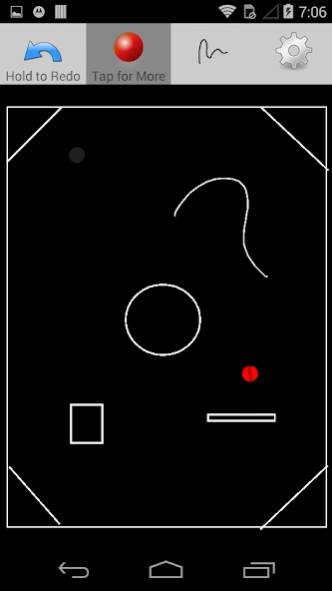
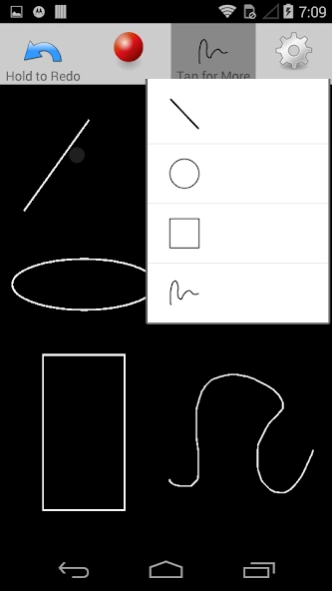
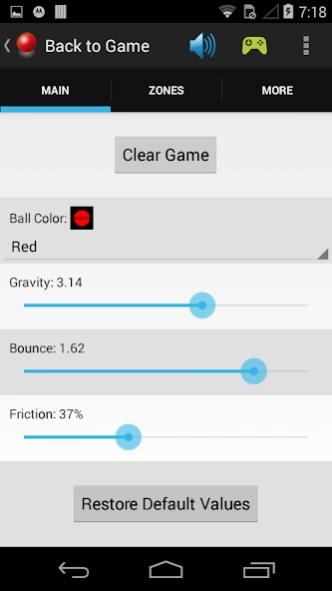
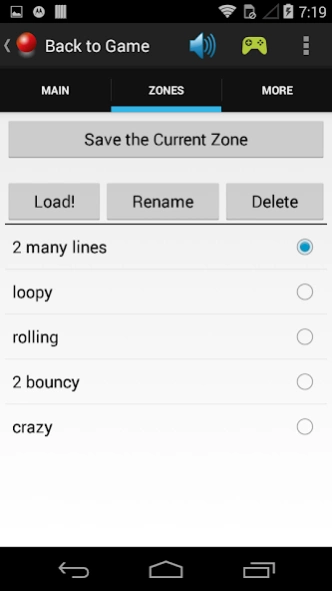
Enter the Bouncy Zone! - A chaotic world of physics with a crazy bouncy ball.
Bouncy Zone is a 2-dimensional bouncy ball simulator. Set the bounciness and friction of the bouncy ball as well as the gravity to your preference. Then make simple structures to create a chaotic arena for the bouncy ball to bounce in. Fling the bouncy ball with your finger or simply drop it, and then watch what happens. It's a simple simulation that's really fun and mesmerizing to watch. Discover what configurations of structures work the best for optimum bouncing. In what crazy ways can you make the bouncy ball bounce?
Other things to know:
- You can create structures of 4 different shapes: lines, rectangles, ovals, and squiggles.
- You can enable use of the accelerometer, allowing you to tilt the device to affect the gravity.
- You can save "zones" that you like so that you can have fun with them later.
- Google Play Game Services is used for achievements for bouncing the ball a certain number of times.
About Bouncy Zone: ball simulator
The company that develops Bouncy Zone: ball simulator is MathJoy. The latest version released by its developer is 2.4.
To install Bouncy Zone: ball simulator on your Android device, just click the green Continue To App button above to start the installation process. The app is listed on our website since 2015-01-23 and was downloaded 19 times. We have already checked if the download link is safe, however for your own protection we recommend that you scan the downloaded app with your antivirus. Your antivirus may detect the Bouncy Zone: ball simulator as malware as malware if the download link to com.blogspot.mathjoy.bouncy is broken.
How to install Bouncy Zone: ball simulator on your Android device:
- Click on the Continue To App button on our website. This will redirect you to Google Play.
- Once the Bouncy Zone: ball simulator is shown in the Google Play listing of your Android device, you can start its download and installation. Tap on the Install button located below the search bar and to the right of the app icon.
- A pop-up window with the permissions required by Bouncy Zone: ball simulator will be shown. Click on Accept to continue the process.
- Bouncy Zone: ball simulator will be downloaded onto your device, displaying a progress. Once the download completes, the installation will start and you'll get a notification after the installation is finished.
Program Details
System requirements
Download information
Pricing
Version History
version 2.4
posted on 2015-01-23
Version 2.4,- Awesome background music!,- bug fixes & improvements:,- button sound uses main volume instead of ringer volume,- changed the toggle sounds icon, and added a toggle music,- accelerometer "sensor delay" is slightly faster,- improved efficiency in drawing squiggles,- small bug fix having to do with switching between the intro screen & the game
